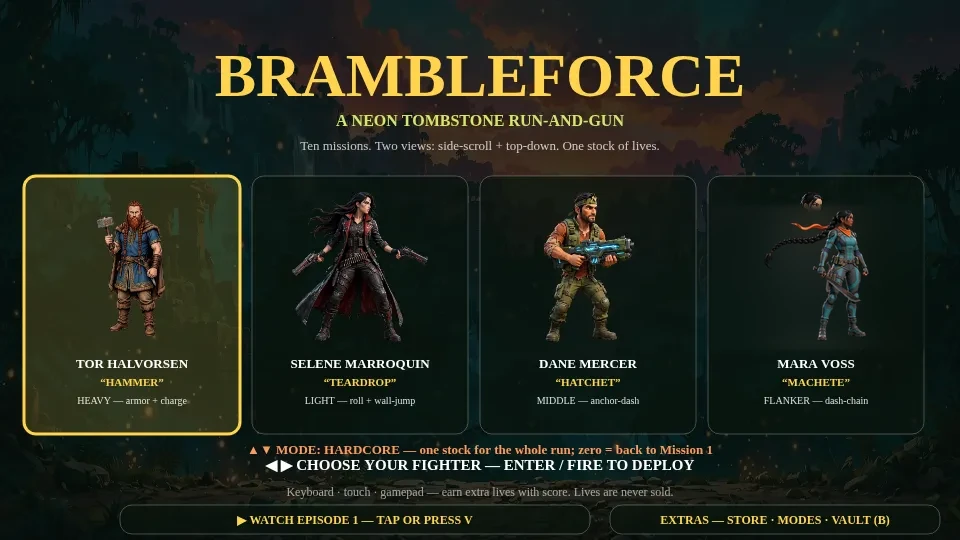
Brambleforce — Windows Edition (PC)
The full game for Windows 10/11 (64-bit): 12 missions, 4 fighters, 12 bosses, the Prune or Be Pruned arena. True fullscreen, mouse aim + keyboard, gamepad native. One-time purchase — the download waits on your purchase page.
The problem
A game like this belongs on a real screen
Brambleforce was built for a controller, a keyboard, and room to see the whole fight — and the Windows edition is the game played that way: mouse aim, true fullscreen, your campaign saved on your own computer. It is also the same deal as the Android edition — one price, paid once, zero ads, no launcher account standing between you and the game. Download the ZIP, extract it, run the game.
Secure checkout by PayPal — no account needed to pay.
No charge happens on this page — you see and approve the exact total at PayPal before anything is charged.
After you pay
How it works
- Buy here with PayPalOne-time $6.99. Guest checkout — just an email for delivery.
- Download the Windows editionYour purchase page has the download (a ZIP, about 1.2 GB), and it can be re-issued from that page anytime — bookmark it after checkout.
- Unzip & playExtract the ZIP and run Brambleforce.exe — no installer. First run, Windows may show a one-time "Windows protected your PC" prompt (the build is new and unsigned): "More info" → "Run anyway".
Windows 10/11, 64-bit. Mouse aim + keyboard, gamepad native, true fullscreen. Your campaign saves right on your computer.
What's inside
One price. The whole garden — on Windows.
- 12 missions, two views — side-scroll + top-down
- 4 fighters — routes change with who you bring
- 12 bosses — plus Mother Orchid — the Queen
- Online co-op — plus the Prune or Be Pruned online arena and its worldwide leaderboard
- Hardcore + Standard modes
- Fully voiced — lives are earned, never sold
- Zero ads — paid game, acts like one
- True fullscreen — mouse aim + keyboard, gamepad native, saves stored on your computer
Before you buy
Questions, answered straight
Do I need a PayPal account to buy?
No. Checkout runs through PayPal, but you can pay as a guest — all this page asks for is the email your download should land on.
How do I get the game after I pay?
Your purchase page carries the download — a ZIP of about 1.2 GB — and it can be re-issued from that page any time, so bookmark it after checkout. Extract the ZIP anywhere and run Brambleforce.exe; there is no installer.
What does it need to run?
Windows 10 or 11, 64-bit. Controls are mouse aim + keyboard, with native gamepad support and true fullscreen.
Windows says it protected my PC. Is something wrong?
No — that is the standard first-run prompt for a new, unsigned build. Choose “More info”, then “Run anyway”, and the game starts. It appears once.
Where do my saves live?
On your computer, with the game — not in an account and not in a cloud. Back up the game folder and your campaign comes with it.
What if I’m not sure yet?
Play the free demo first — Mission 1 in full at full fidelity, plus one complete arena match. It is on the main Brambleforce page, and it costs nothing.
Are there ads or in-app purchases after I buy?
Zero ads — it is a paid game and acts like one. Lives are earned in play, never sold. Optional extras live on their own pages; nothing inside a mission charges you.
What if I lose my download?
Re-issue it from your purchase page whenever you need it — that page is the durable copy, not an email you have to dig up.